
Trade with other players through the Market; direct trading is disabled. To trade in Aion 2, open the Market from the menu and buy a listing or put an eligible item up for sale. Standing beside a friend does not let you hand them an item.
How do you buy items from other players?
Search for the item in the Market's Main tab, select a listing, and confirm Purchase Selection. Market purchases use unbound Kina, so check your balance before choosing a stack. If you need more currency first, head to Aion 2 Kinah farming.
- Open Market from the menu and choose Main.
- Search for the item by name.
- Compare the price per item, stack quantity, and total sale price before selecting an entry.
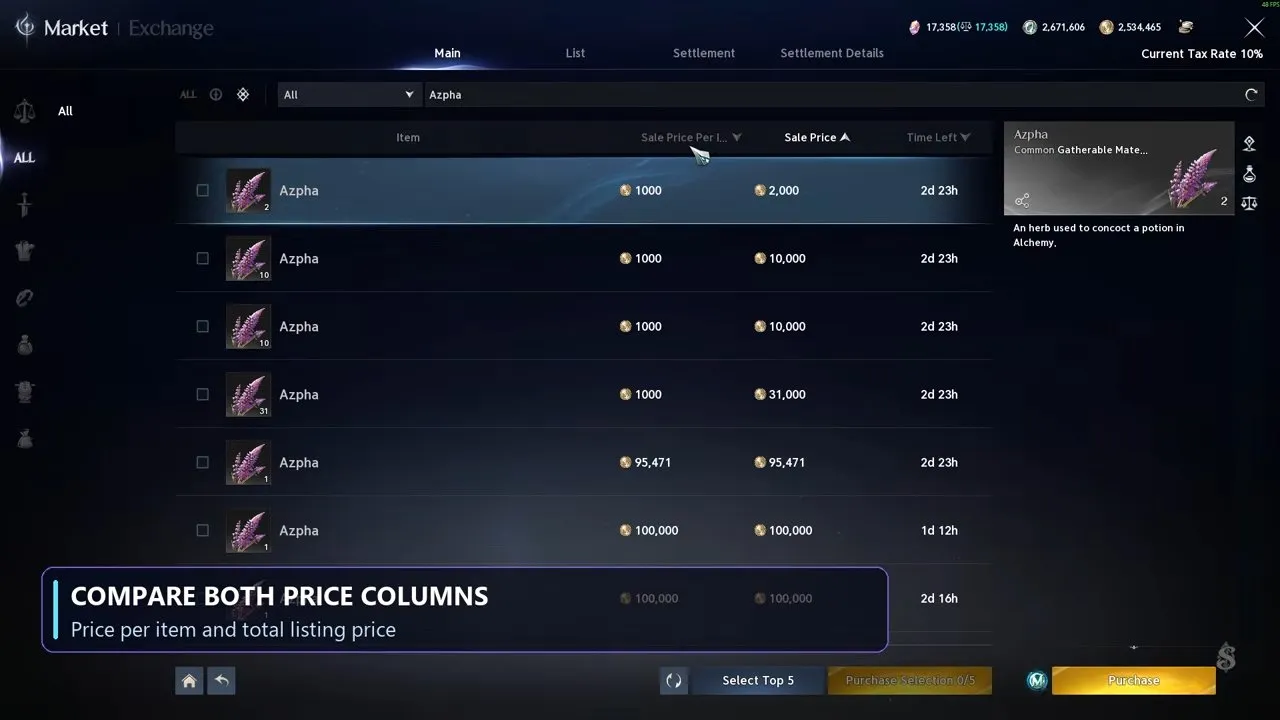
- Select the entry you want and confirm Purchase Selection.
Do not judge a listing by its total price alone. A smaller total can hide a much higher price per item, while a cheap unit price can still mean a large purchase if the stack is big.
For example, the Orichalcum Ore listings below offer these very different purchases:
| Listing quantity | Price per item | Total sale price |
|---|---|---|
| 1 | 38,000 | 38,000 |
| 32 | 1,360 | 43,520 |
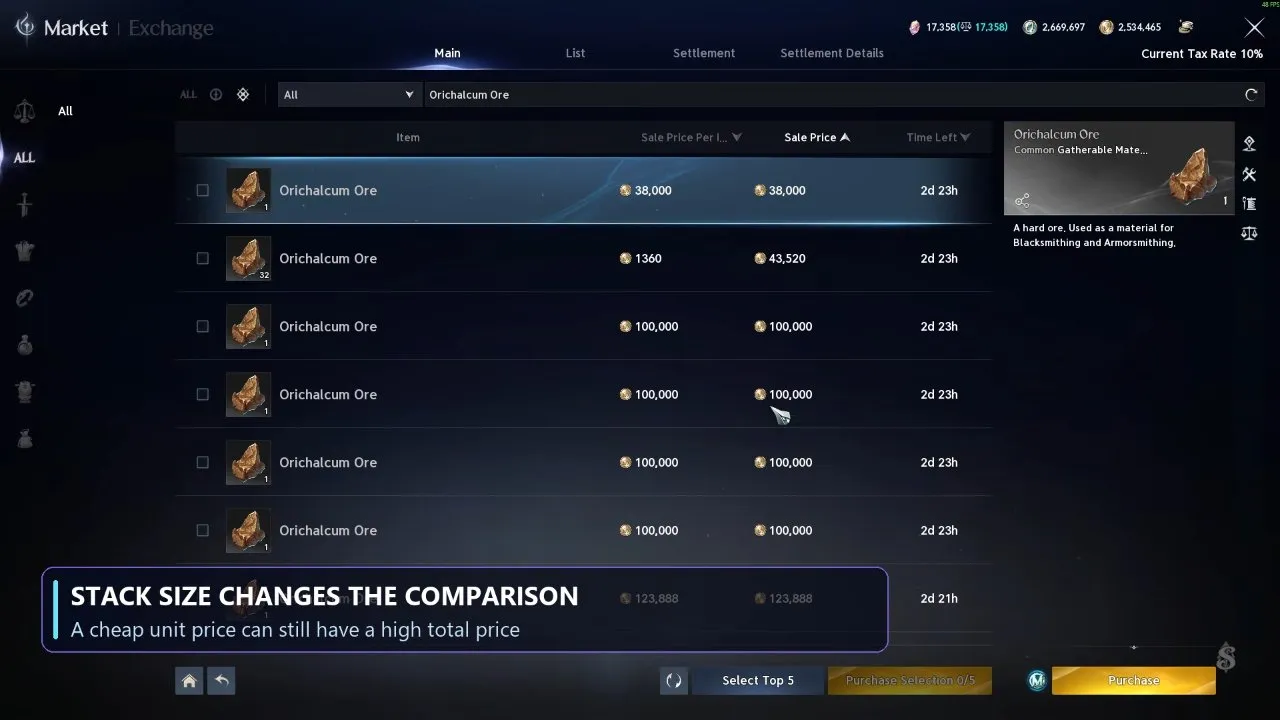
If you need ore in bulk, compare unit prices first, then check whether you can afford the total. If you only need a small amount, weigh the extra stack quantity against the currency you want to spend. These are individual listings, so compare the prices in your own Market before buying.
How do you sell unbound items on the Market?
Choose an eligible unbound item from your Cube in the List tab, then set Sale Quantity and Sale Price Per Item. Special Quai Membership provides Market access, and the Market unlocks at character level 45.
- Check competing listings in Main so you can compare prices for the same item.
- Switch to List and select the item from your Cube.
- Enter Sale Quantity and Sale Price Per Item. Compare your intended unit price with other listings, rather than copying the total price of a different-sized stack.
- Pay the registration fee in bound Kina to list the item.
Unbound gear, weapons, ingredients, and materials can be listed. Bound gear cannot. Before clearing equipment out of your Cube, check the old gear options in Aion 2 so you can decide what to do with pieces you cannot list.
Listing costs bound Kina, while Market buying and selling use unbound Kina. Keep the registration fee separate from the sale price when planning a listing.
How do you collect Kina after a sale?
Collect the Kina from the finished listing; the proceeds do not go into your bag automatically. Check Settlement Details to compare the Sale Price with the Settlement Amount for completed sales.
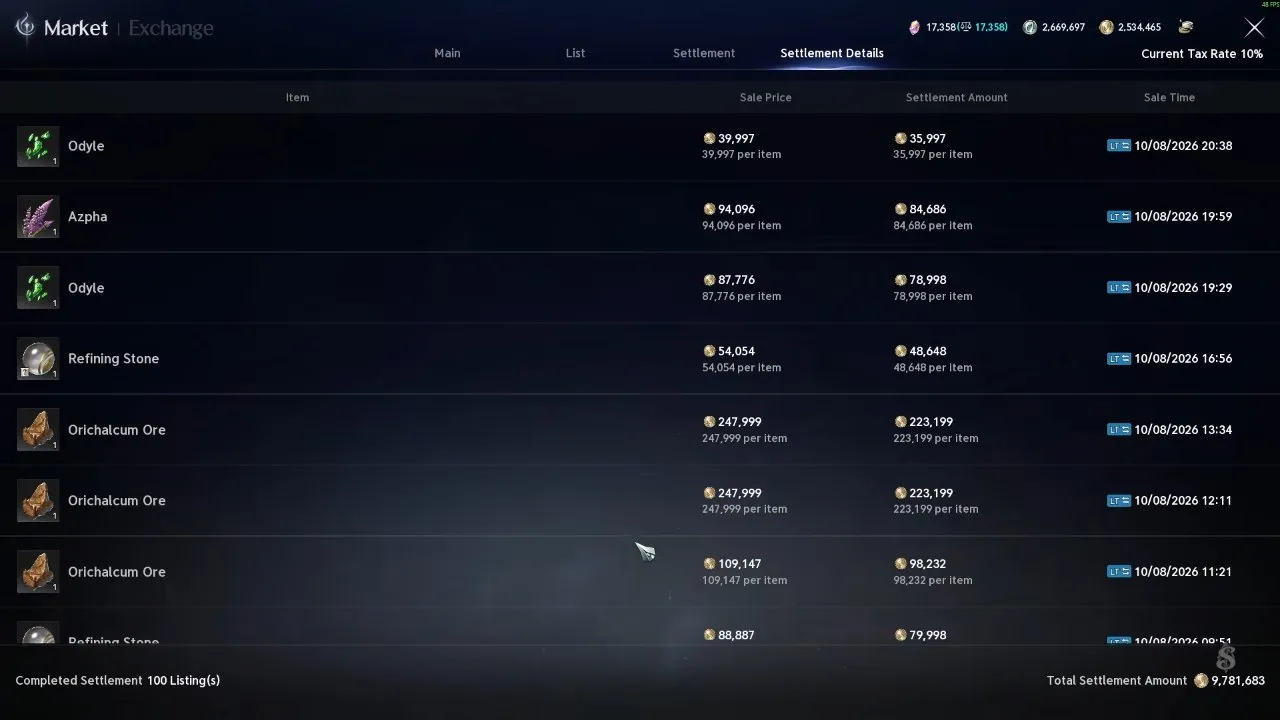
The amount you receive can be lower than the listed sale price. Budget around the settlement amount rather than treating the full sale price as spendable Kina.
Once you have collected your proceeds, you can put that Kina toward your next Market purchase. If refining materials are your next goal, continue with how to get refining stones in Aion 2.