
You need level 45 to enter a Spacetime Rift and visit the opposite faction's map in AION 2. The AION 2 rift timer follows a three-hour schedule: openings are at 00:00, 03:00, 06:00, 09:00, 12:00, 15:00, 18:00, and 21:00 UTC each day. The entrance stays open for 10 minutes, while entering gives you one hour on the other side.
When is the next Spacetime Rift opening?
Check the current UTC time, then take the next opening in the table below. These are scheduled opening times, so a clock alone cannot tell you whether an entrance still has uses available. At the scheduled time, look for the server system message and the vortex icon on your map to confirm that a rift has appeared.
| Opening in UTC | Following opening in UTC |
|---|---|
| 00:00 | 03:00 |
| 03:00 | 06:00 |
| 06:00 | 09:00 |
| 09:00 | 12:00 |
| 12:00 | 15:00 |
| 15:00 | 18:00 |
| 18:00 | 21:00 |
| 21:00 | 00:00 the next day |
For example, at 14:20 UTC, your next scheduled opening is 15:00 UTC, a wait of 40 minutes. At 23:50 UTC, it is 00:00 UTC the following day, only 10 minutes away. Crossing midnight does not add an extra three-hour wait.
If it is 15:04 UTC, check the entrance that opened at 15:00 before treating 18:00 as your next opportunity. You are inside the ten-minute entry window, but remaining uses still matter. If that window has passed, plan around 18:00 instead.
This October 2026 schedule reflects the game state recorded on October 4, with the three-hour interval and ten-minute window also recorded on October 6. Separate opening schedules for other regional servers have not been established here. Keep UTC separate from your local clock, and use your server's opening message and map countdown to check that the schedule matches what you see.
Which countdown controls entry?
The portal window can look like one big timer for the whole trip. Read it as two different deadlines: the entrance has a short entry window, and your visit has its own duration after you cross.
| Portal field | How to read it |
|---|---|
| Level Requirement | You must be level 45 or higher. |
| Remaining Uses | How many players can still pass through this entrance. |
| Basic Usage Time | One hour on the opposite faction's map. |
| Added Usage Time | Extra time from Duration Tickets used beforehand. |
| Until the end of Spacetime Rift | How much longer this entrance accepts entry. |
Until the end of Spacetime Rift is the timer to watch while approaching the portal. Basic Usage Time does not give you an hour to reach it. Waiting because you see “one hour” can cost you the current opening and leave you waiting for the next three-hour slot.
Remaining Uses is a separate constraint. One player saw it fall from 323 to 318 within a short time. That is a useful reminder to check the current number rather than assume that an entrance with time left still has plenty of capacity.
A ten-minute opening is your entry window, not a guaranteed reservation. Check both the remaining time and remaining uses before committing to the route.
How do you reach this opening in time?
The opening time repeats, but the entrance location changes. Rifts appear at random spots, so camping the location of a previous opening is a gamble. One player's Altgard entrance appeared in the Purifying Forest; that example does not make the forest a fixed spawn point.
Find the current vortex icon
When the server announces the opening, open your map and select the vortex icon. Confirm that its information shows the level requirement, remaining uses, and entrance time left. For map planning alongside this check, use the AION 2 interactive map.
Teleport close, then run or fly
Use the Kibelisk closest to the current rift, then cover the remaining distance yourself. The map's “Travel” command only makes your character run automatically; it does not teleport you to the entrance. Check the selected rift's countdown before leaving so you know how much of the entry window remains.
Check the portal before crossing
At the entrance, press F. Confirm that the portal window lists the level requirement, remaining uses, Basic Usage Time, Added Usage Time, and the entry countdown. Read the entrance deadline separately from the one-hour visit before proceeding.
Teleport to the closest Kibelisk: recommended
This route avoids spending the short entry window on a long automatic run. You still need to run or fly the final stretch, so choose the Kibelisk using the current vortex location. The payoff is more time to reach the portal and check its conditions.
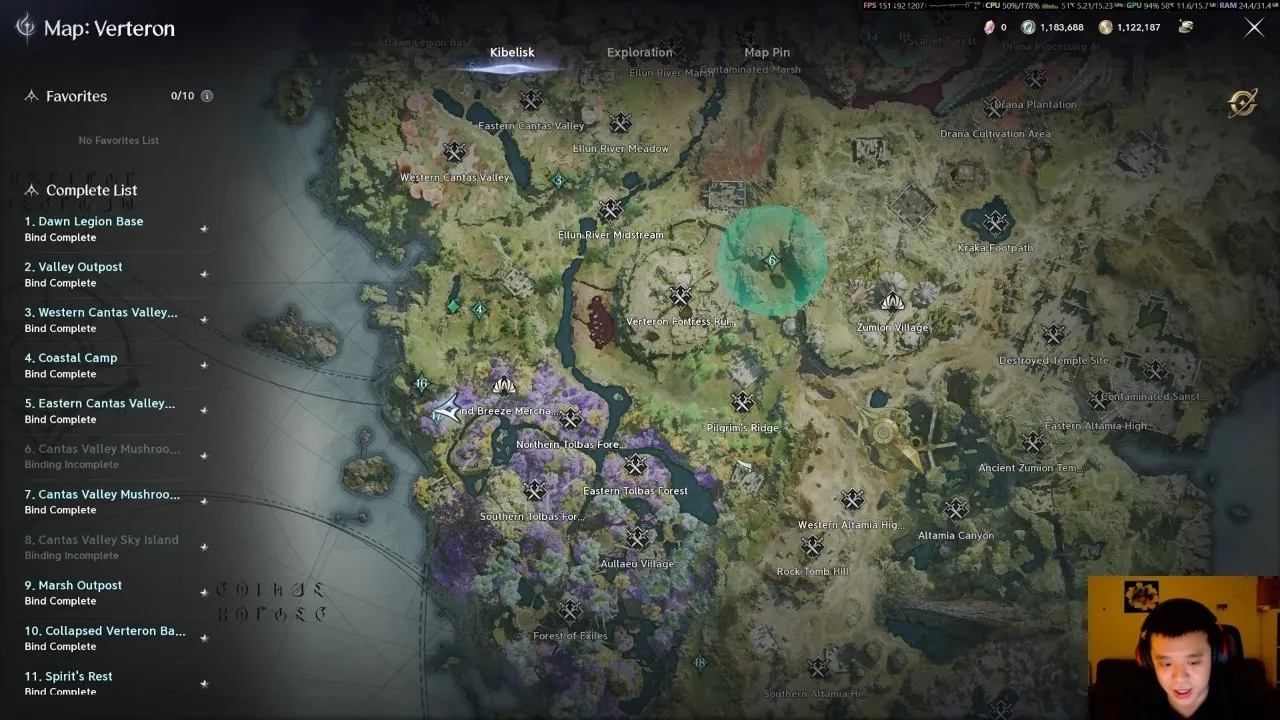
Use the map's Travel command
Travel starts automatic movement toward the rift. It can take too long, especially when the opening is already underway. Choose it with that limitation in mind; the button's name can make it sound more immediate than it is.
What should you do if you miss the window?
Once the ten-minute entry window ends, wait for the next scheduled opening. Do not return to the same spot expecting the next rift to appear there. When the next server message arrives, repeat the map check and route from the new vortex icon.
Use the gap to plan your character rather than stretch a failed entry attempt. If you are deciding what to bring to the next visit, the AION 2 classes overview and AION 2 class tier list are starting points for that separate decision. Neither replaces the entrance's level and timer checks.
A successful entry gives you one hour on the opposite faction's map, with Added Usage Time showing any extension from tickets used beforehand. Once your visit is over, you can turn to AION 2 hidden cube locations for your next exploration goal. For the next rift, keep the same routine: check UTC, wait for the opening message, and route to the current icon.